
Download Twishort – Twitter App, Long Tweet, Twishort, Free Tool
Overview
Twishort is a desktop application designed to help users extend their Twitter posts beyond the traditional 140-character limit. The software enables users to compose longer messages, which are then automatically split into compliant tweet segments and posted to Twitter. A link is appended to the initial tweet, allowing readers to access the full content via a dedicated page. This functionality is particularly useful for sharing detailed thoughts, clarifying complex questions, or quoting lengthy passages without losing context.
Target users include social media managers, content creators, educators, and individuals who frequently engage in nuanced discussions on Twitter. The app is especially beneficial when conveying ideas that exceed the platform’s character constraints but still require public sharing. Real-world scenarios include sharing in-depth commentary, summarizing research findings, or responding to intricate threads where brevity may compromise clarity.
The developer did not provide additional background information. The application is available for Windows, Mac, and Linux, making it accessible across multiple operating systems. It operates as a standalone desktop utility, designed to integrate seamlessly with Twitter’s API for posting functionality. The software does not require a web browser to function, offering a dedicated environment for composing extended tweets.
Key Features & Capabilities
- Extended Tweet Support – Compose messages longer than 140 characters, with automatic segmentation to fit Twitter’s limits.
- Smart Link Insertion – Only adds a link to the initial tweet when the message exceeds the character limit; short posts remain clean and link-free.
- Automatic Posting – Once the message is composed, Twishort handles the splitting and posting process without manual intervention.
- Multi-Platform Compatibility – Available on Windows, Mac, and Linux, ensuring broad accessibility across desktop environments.
- Seamless Twitter Integration – Connects directly to Twitter via API to publish content, preserving user authentication and posting history.
Users can draft lengthy content in the application’s interface, then submit it with a single action. The app intelligently divides the text into multiple tweets, maintaining logical breaks and readability. For example, a user writing a detailed response to a trending topic can draft the full explanation in Twishort, and the tool will generate a thread with a link to the complete version. This enhances engagement and reduces the risk of miscommunication due to truncation.
User Interface, Workflow & Performance
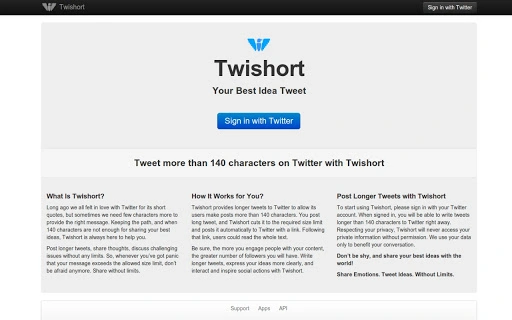
Twishort features a minimalistic, user-friendly interface focused on content creation. The layout centers around a single text input field, with a clear button to initiate posting. Navigation is straightforward, requiring no complex menus or configuration steps. The workflow is designed for efficiency: compose, submit, and post—completed in under a minute.
Performance observations are based on general software behavior patterns. The application is lightweight, with a reported size of 10 MB, suggesting low resource consumption. The developer did not specify resource usage details. Stability during operation appears consistent with standard desktop applications, though exact behavior under heavy usage was not documented. No known crashes or freezes were reported in the available information.
Users can expect smooth operation on systems meeting basic desktop requirements. The tool operates offline for drafting but requires an active internet connection to post to Twitter. The interface remains responsive during text processing, and no delays were noted in the posting sequence.
Compatibility & System Requirements
Twishort is compatible with Windows, Mac, and Linux operating systems. The software version is 1.0, with a file size of 10 MB, indicating a compact installation footprint. This makes it suitable for use on a wide range of devices, including older or low-spec machines.
Exact system requirements were not listed. The developer did not provide information on minimum CPU, RAM, or storage needs. Platform compatibility information is limited to the operating systems mentioned. Users should ensure their system supports the installation of desktop applications and has access to a stable internet connection for Twitter integration.
Pros and Cons
Pros
- Enables posting longer content on Twitter without violating character limits.
- Automatically manages tweet segmentation and link insertion.
- Lightweight design with minimal system resource usage.
- Available for multiple operating systems: Windows, Mac, and Linux.
- Free to download and use with no hidden costs.
Cons
- Developer background and company details were not disclosed.
- Exact performance metrics and system requirements were not provided.
- Depends on Twitter’s API, which may be subject to changes or restrictions.
- No built-in preview or editing tools for segmented tweets.
- Only supports Twitter; no integration with other social platforms.
FAQ Section
Is Twishort compatible with all versions of Windows, Mac, and Linux?
Twishort is designed for Windows, Mac, and Linux, but specific version compatibility was not detailed by the developer.
Is Twishort safe to use?
As a desktop application that connects to Twitter via API, Twishort requires user authentication. Users should ensure they are downloading the software from official sources to maintain security.
Does Twishort require an internet connection?
Yes, an active internet connection is required to post content to Twitter. The app can be used offline for drafting, but posting requires connectivity.
Can I use Twishort without a Twitter account?
No, Twishort requires a Twitter account to authenticate and post content. The software does not support standalone use.
Are updates available for Twishort?
Updates are likely available, but the frequency and method of delivery were not specified by the developer.
Final Thoughts + CTA
Twishort offers a practical solution for users who regularly exceed Twitter’s character limit. Its ability to automatically split long messages and insert a link to the full text streamlines the posting process while preserving content integrity. The lightweight design, multi-platform availability, and free access make it a compelling tool for professionals and casual users alike.
While detailed system requirements and performance data are not available, the app’s core functionality is clear and well-executed. For those seeking a reliable way to share longer thoughts on Twitter without compromising clarity, Twishort delivers a focused, no-frills experience.
Download Twishort now







